


TL;DR: Use MetaMask if you want a secure, easy-to-use crypto wallet that works on both browsers and mobile.
MetaMask helps you store your crypto safely while keeping funds easily accessible. It’s available for browsers and mobile devices, so you can manage your money anytime, anywhere.
Key points:
• The wallet offers a simple installation process.
• It lets you swap tokens by tapping into top exchanges.
• It emphasizes security, so protecting your private keys is crucial.
Overall, MetaMask blends control, ease, and strong security into one handy package for your journey into decentralized apps.
Comprehensive MetaMask Wallet Review: Features, Usability, Security
MetaMask works as a browser add-on for Chrome, Firefox, Brave, Opera, and Edge, plus it has mobile apps for iOS and Android. It covers over 21,000 cryptocurrencies on more than 2,200 exchanges, with a market cap of $2.08 trillion and gas fees near 0.080 GWEI. This wallet opens the door to the Ethereum blockchain and a host of decentralized apps, making it easy to access platforms like Uniswap for DeFi needs.
MetaMask is non-custodial, meaning you keep your private keys on your own device. This gives you full control of your funds but also means you must protect yourself from malware and phishing. The wallet includes a swap feature that pulls rates from services like Uniswap, Curve, and 1inch, so you can trade quickly and get competitive prices.
MetaMask stands out by blending ease of use, security, and wide compatibility on both desktop and mobile. While the responsibility of safeguarding your keys calls for extra care, its rich network of dApps and built-in swapping make it a strong option for newcomers and seasoned users alike in the evolving decentralized market.
MetaMask Installation Process Examination and Setup

TL;DR: Install MetaMask on your browser or mobile, then set up your wallet with a secure password and a 12-word recovery phrase.
MetaMask launched in 2016 and is available as a browser extension on Chrome, Firefox, Brave, Opera, and Edge. To install it, visit your browser’s store, search for MetaMask, and click to add it. Once added, you’ll see its icon in your toolbar, giving you quick access to your crypto balance and features. Fun fact: installing MetaMask takes less time than brewing your morning coffee.
For mobile users, the MetaMask app is on both the Apple App Store and Google Play. Search for MetaMask, download the app, and watch it install in just a few moments. The mobile app is built for users on the go, making it easy to send, buy, or swap tokens and access decentralized apps with a simple tap.
After installation, start by creating your wallet. Set a strong password and generate a 12-word Secret Recovery Phrase, this phrase is your only way to recover your wallet. MetaMask itself doesn’t offer two-factor authentication, but you can pair it with a hardware wallet to boost security. Follow the on-screen prompts and make sure to store your recovery phrase safely offline.
MetaMask User Interface Critique: Extension vs Mobile App
MetaMask keeps a consistent look across devices. Its famous fox icon shows up on both desktop and mobile, serving as a clear Web3 sign-in tool that users can easily recognize no matter where they are.
On the desktop extension, you get detailed controls like fine gas fee adjustments (small charges for transactions) and a full view of your portfolio. This setup is perfect for advanced users who need to manage several tokens and make smart swap decisions. The design packs a lot of information into one screen without feeling overwhelming.
The mobile app, in contrast, sticks to the basics. It makes sending, buying, and swapping tokens quick and simple with a clean, easy-to-use interface. However, options for staking are limited and access to MetaMask Snaps is reduced. This means some features present on the desktop version aren’t available on mobile, which might cause some confusion when switching between devices.
Overall, the desktop extension is ideal if you need in-depth control, while the mobile app is great for fast, efficient transactions.
MetaMask Performance and Reliability Assessment: Speed, Connectivity, Stability
TL;DR: MetaMask is fast, connects well, and remains reliable even during busy periods.
MetaMask processes transactions quickly thanks to its EIP-1559 fee model, which helps speed up confirmations. While network congestion can occasionally slow things down, you still enjoy competitive processing times that match blockchain activity.
The platform supports a range of networks, including Ethereum, Polygon, BNB Chain, Arbitrum, and Avalanche C-Chain. This versatility means you can easily tap into various decentralized applications and stay connected across chains.
Having been around for nearly 10 years, MetaMask has earned a solid reputation for stability. It consistently performs under load, even when traffic is heavy or large volumes of transactions are processed. This reliable performance makes it a trusted tool for both newcomers and seasoned investors in the decentralized finance space.
Security and Privacy Inspection of MetaMask Wallet
MetaMask puts you in the driver's seat. Your private keys are created and stored right in your browser instead of on a central server. This means you hold full control of your funds, but it also means you must take care to secure them.
The wallet encrypts your keys before saving them on your device. In simple terms, it scrambles your data so that only someone with your correct passcode can read it. However, MetaMask does not offer two-factor authentication, so a strong password is key.
Because MetaMask is a hot wallet, it stays connected to the internet at all times. This makes it more vulnerable to threats like malware and phishing attacks. Always be careful when using decentralized apps and avoid clicking on links from untrusted sources.
For extra protection, consider pairing MetaMask with a hardware wallet such as Ledger or Trezor. A hardware wallet stores your keys offline, which greatly reduces the risk of online attacks. Also, keep your 12-word Secret Recovery Phrase in a safe, offline spot and check your security settings regularly.
MetaMask Functionality Breakdown: dApp Integration, Swaps, and NFTs

MetaMask easily connects to top decentralized apps like Uniswap, Aave, OpenSea, and CryptoKitties. This means you get into DeFi fast and can manage your digital assets without switching screens. It lets you explore new projects, trade quickly, and keep track of your NFTs all in one place.
The built-in swap aggregator stands out by pulling liquidity from Uniswap, Curve, and 1inch. You can compare swap rates easily and make trades at the best prices available. Its Gas Station feature even shows network fee details so you can handle changing gas costs without a fuss.
MetaMask also offers staking options with yields such as 2.4% from its Pool, 2.6% for ETH validators, 2.71% from Lido, and 2.47% on Rocket Pool. Plus, since October 2025, it has expanded into perpetual futures trading to boost your trading possibilities.
- dApp browser for easy access to decentralized apps
- Swap aggregator that finds liquidity from top DeFi protocols
- Staking choices with solid annual yields
- NFT management for tracking digital art
- Gas Station feature to simplify fee management
- Perpetual futures trading for advanced strategies
MetaMask is a strong tool for both DeFi and NFT enthusiasts. By combining multiple features, from connecting to popular dApps to offering competitive swap and staking options, it creates a nifty ecosystem for your digital activities. Whether you’re trading tokens, staking crypto, or handling an NFT portfolio, MetaMask provides a reliable bridge to a dynamic DeFi world.
MetaMask Wallet Fees Structure Breakdown
TL;DR: Setting up a MetaMask wallet is free. When you send transactions, you pay a basic network fee (around 0.080 GWEI) imposed by the blockchain. Token swaps add roughly a 0.875% fee. Other costs, like those for buying or selling crypto with fiat, depend on the third-party provider you choose.
Getting started with MetaMask costs nothing. However, when you start using your wallet, the blockchain charges a network fee that averages about 0.080 GWEI. This fee is set by the blockchain, not MetaMask.
Swapping tokens? That comes with an extra fee. The swap fee, built into the aggregator that gathers liquidity from many providers, is about 0.875% on the best available rates.
Keep an eye out for the MetaMask Card pilot fee, it hasn’t been announced yet. Meanwhile, fees for fiat transactions vary by the third-party provider you pick.
| Fee Type | Description | Amount |
|---|---|---|
| Gas Fees | Transaction charges imposed by the blockchain network | ~0.080 GWEI |
| Swap Markup | Extra cost on aggregated token swaps | Approximately 0.875% |
| Card Spending Fee | Fee for the MetaMask Card pilot | TBA |
| Fiat On/Off Ramp Fee | Varies by third-party provider | Variable |
Your total expenses may change based on the provider handling your fiat transactions.
MetaMask vs Alternative Crypto Wallets: Comparative Analysis
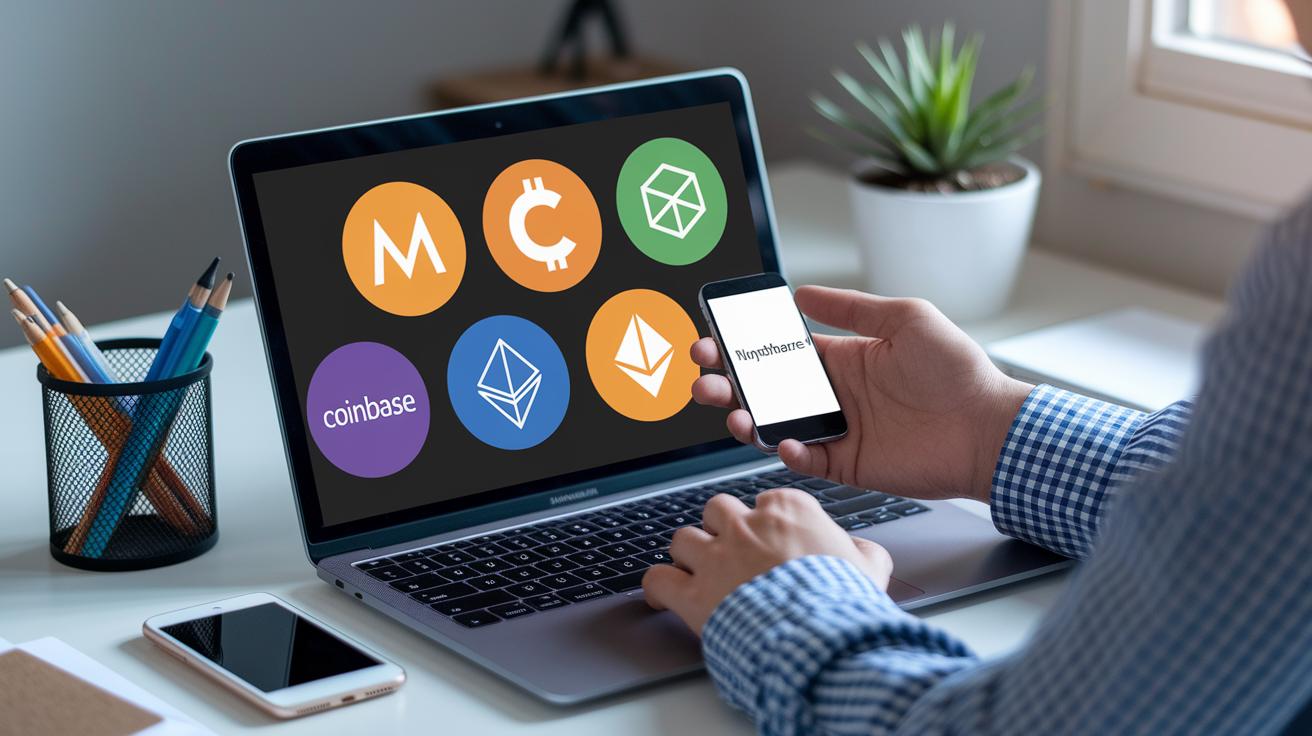
TL;DR: MetaMask is best if you need fast dApp connections, Coinbase Wallet offers easy fiat access, MyEtherWallet keeps things simple for Ethereum, and hardware wallets deliver top offline security.
When choosing a crypto wallet, look at security, ease of use, asset support, and dApp connectivity. Each option meets different needs.
-
MetaMask works great with dApps and lets you swap tokens quickly. It handles Ethereum and tokens well but does not have built-in fiat support or full multi-chain coverage.
-
Coinbase Wallet supports Bitcoin and allows bank linking. This makes it easy to move from fiat to crypto. However, it is not as smooth with decentralized finance as MetaMask.
-
MyEtherWallet is a web-only tool for Ethereum transactions. Its simplicity is a plus, but it lacks a swap feature, which can limit token trading and interaction with various decentralized protocols.
-
Hardware wallets keep your keys offline for high security. They are ideal if safety is your main concern, but they are less user-friendly for frequent trades or quick dApp interactions.
Each wallet has its own strengths. MetaMask excels with dApp connections; Coinbase Wallet works well for simple fiat integration; MyEtherWallet offers a basic Ethereum experience; and hardware wallets provide superior offline protection.
MetaMask Update and Version History: Evolving Features and Snaps
TL; DR: MetaMask keeps evolving with new features that make it safer and easier to use.
MetaMask launched in 2016 as a browser extension and quickly became a key tool in the world of decentralized finance. In 2019, its mobile app made it accessible to users on the go. Then in 2022, MetaMask introduced Snaps, which lets the wallet handle actions across different blockchains (cross-chain actions).
The platform now gets fresh updates every month to boost both usability and security. Recent releases have improved the gas fee display and made NFT portfolio management clearer. In October 2025, the mobile app added perpetual futures trading, opening the door for advanced strategies for seasoned traders.
Looking ahead, MetaMask is set to keep innovating. Future updates aim to fine-tune cross-chain compatibility and bring even more advanced trading features. These enhancements ensure MetaMask remains a secure and feature-rich gateway to decentralized finance.
Community Feedback Insights and Expert Judgment Evaluation
User reviews praise MetaMask for its ease of use and simple design. Many users highlight the wallet’s one-click access to decentralized apps as a big plus. At the same time, some caution about phishing and malware risks and point out that it lacks built-in two-factor authentication. They also ask for better mobile token alerts. This real-world feedback is already taken into account in the wallet’s security and usability checks.
Experts confirm that MetaMask is reliable with a strong support system. It offers helpful resources like FAQs, an AI chatbot, and live human help. Analysts also recommend using a hardware wallet when dealing with larger amounts of crypto, a tip echoed in the security reviews. Together, these insights provide clear, practical guidance without repeating details.
Final Words
In the action, we covered MetaMask's broad availability, step-by-step installation, user interface differences, speed, security features, fee structure, and how it stacks up against competitors. Each section broke down key stats and risks without sacrificing clarity.
This metamask wallet review brought together real user feedback and expert insights to lay out concrete steps. The hands-on guide leaves you ready to evaluate MetaMask's role in your crypto strategy with confidence. Keep moving forward confidently in your trading decisions.
FAQ
What does the MetaMask wallet review on Reddit indicate?
The MetaMask wallet review on Reddit shows that users appreciate its broad dApp integration but also warn about security risks such as phishing vulnerabilities.
What does the MetaMask wallet review on Trustpilot highlight?
The MetaMask wallet review on Trustpilot highlights ease of use and versatile features, with some reviewers pointing out issues like token detection errors and delayed customer support.
What complaints are mentioned in MetaMask reviews?
MetaMask reviews mention complaints about phishing risks, lack of built-in two-factor authentication, and occasional feature gaps on mobile, prompting users to adopt extra security measures.
How do you log in to the MetaMask wallet?
The MetaMask wallet login involves installing the browser extension or mobile app, setting a secure password, and safely storing your 12-word Secret Recovery Phrase during setup.
How does Trust Wallet review compare to MetaMask?
Trust Wallet reviews praise its user-friendly mobile interface and robust security, while MetaMask stands out for its detailed dApp integration and comprehensive swap functionality.
How does Coinbase Wallet review compare to MetaMask?
Coinbase Wallet reviews emphasize multi-asset support and direct fiat linking, contrasting with MetaMask’s strength in dApp connectivity and niche decentralized finance tools.
How does MetaMask compare to Trust Wallet?
MetaMask compares to Trust Wallet by offering advanced features like granular gas-fee controls and broad dApp support, while Trust Wallet provides a simpler, more streamlined mobile experience.
What is the MetaMask extension and how does it function?
The MetaMask extension is a browser-based wallet that secures your crypto transactions, enables easy dApp access, and gives you control over gas fees on supported browsers.
Is MetaMask a safe wallet?
MetaMask is safe when used correctly; its noncustodial model stores keys locally, but users should remain cautious of phishing risks and consider extra safeguards like hardware wallets.
Can I withdraw money from MetaMask?
Withdrawing money from MetaMask involves transferring your assets to an exchange or a fiat on/off ramp service, since MetaMask does not support direct cash withdrawals.
How much does a MetaMask wallet cost?
MetaMask is free to download and use, though transactions incur standard network gas fees and swap features may include a markup, meaning costs largely depend on blockchain fees.
Is MetaMask legal in the USA?
MetaMask is legal in the USA; it complies with current regulatory standards, but users must adhere to local financial regulations when managing their crypto assets.
What alternative wallets are available alongside MetaMask?
Alternative wallets like Trust Wallet, Coinbase Wallet, TokenPocket, Base, Binance, and Phantom offer varying strengths in security, asset support, and user experience, allowing users to choose based on their specific needs.