



TL;DR: Use trend analysis to spot hidden patterns in your data and make smarter, faster decisions.
Ever wonder if your data holds clues to your next big move? Trend analysis transforms complex numbers into clear signals that guide your actions. By tracking monthly revenue changes or steady market climbs, simple tools like moving averages (a method to smooth out daily ups and downs) and regression analysis (a way to see how factors relate) turn raw data into clear insights.
This approach works for businesses in finance, health, retail, and beyond. It helps you avoid risks and seize opportunities sooner. Ready to turn everyday numbers into powerful strategies? Give these tools a try and see the difference.
Key Trend Analysis Examples Across Industries
Trend analysis uncovers hidden patterns in historical data to guide future decisions. First, gather monthly, quarterly, or yearly data, then pick a method like moving averages (which smooth out ups and downs) or regression analysis (examining statistical relationships). For example, a company may use moving averages to iron out monthly revenue shifts and reveal a steady rise. Next, plot the data on charts or graphs to easily spot important patterns.
Trends usually fall into three types: upward, downward, and flat. An upward trend, common in emerging tech sectors, signals growing market interest. A downward trend in a declining industry warns of potential risks. A flat trend suggests things are steady or stagnant. Recognizing these trends can help you act promptly, no matter the industry.
Across sectors, trend analysis is a vital tool. In finance, leaders watch revenue trends to find growth chances and predict earnings. Health experts track infection rates to guide public actions. Retailers monitor seasonal sales to adjust inventory and staffing. Climate researchers rely on long-term data to study changes in temperature and sea levels, while social media platforms use engagement numbers to gauge audience sentiment.
Spotting these trends early lets businesses take action. For instance, if a retailer sees a downward trend in weekend sales, they might change promotions before the loss worsens. By turning clear data visuals into actionable insights, leaders can plan strategies and manage risks effectively.
Financial Trend Analysis Examples
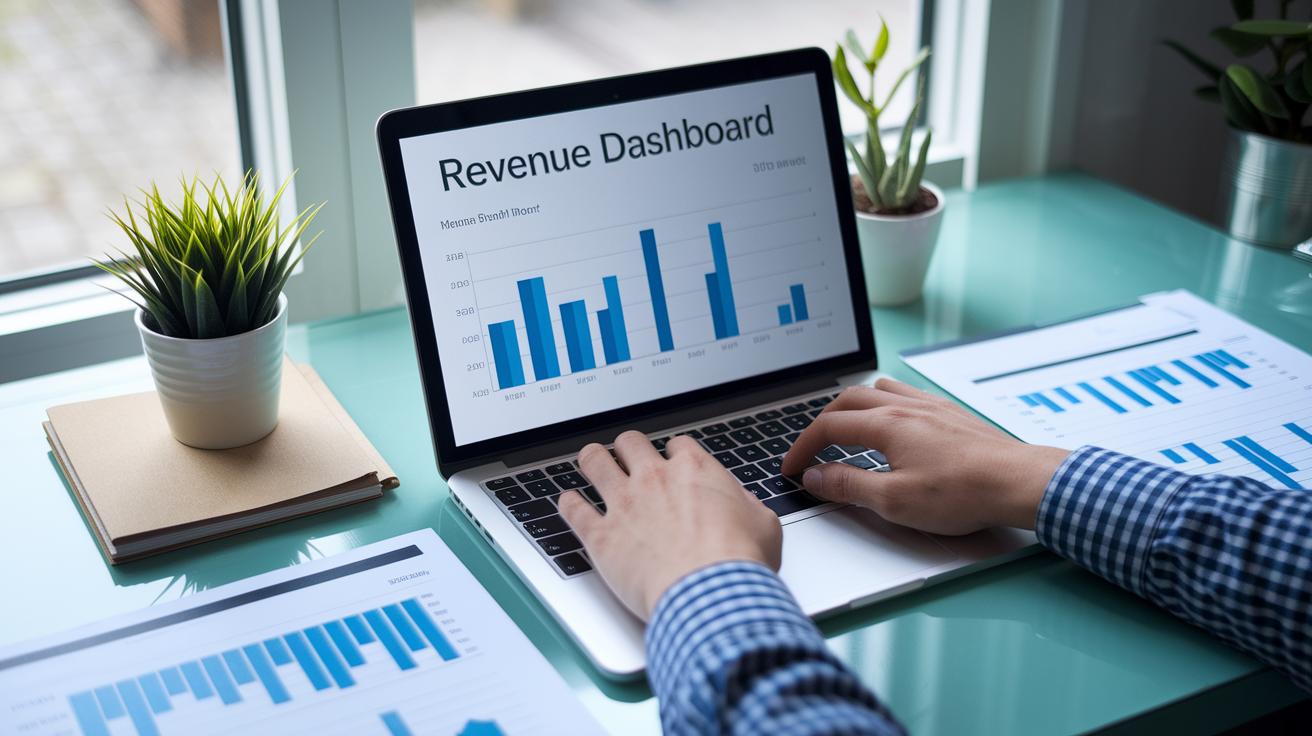
TL;DR: Track your revenue by reviewing monthly, quarterly, and yearly income data, then use simple statistical tools to smooth out noise and forecast future trends.
Start by collecting solid data from your financial reports. For example, enter each month or quarter's revenue into a spreadsheet. This basic data is the foundation for your analysis.
Next, pick a method to clear the noise. A moving average (like a 3-month average) can smooth out quick ups and downs. You might also use regression analysis (a tool that helps link past trends to future performance) to forecast upcoming quarters.
Visualization makes a big difference. Create charts using Excel, Tableau, or Power BI to see the trends clearly. A rising line points to growth, a falling line warns of trouble, and a flat line shows steady performance. These visuals quickly highlight opportunities and risks.
Finally, review your charts regularly. Monthly or quarterly checks let you adjust your strategy as market trends change. Clear visuals help leaders make smarter decisions on budgeting and priorities. In short, a good financial trend analysis puts you in control of revenue changes and market shifts.
Business and Marketing Trend Analysis Examples
TL;DR: Use trend analysis to adjust your strategy and capture seasonal demand.
Retail sales trend analysis helps you see when customers are more likely to buy. For example, tracking monthly sales can show a surge during holidays. Retailers often see a 30% jump in online sales in November, with even bigger leaps in December. This insight lets you fine-tune inventory and promotions to boost profits.
Social media trends give you another clear signal. Keep an eye on likes, shares, and comments to spot shifts in customer interest. A simple line chart or bar graph can reveal a boost in shares after a new product launch. That spike suggests it might be time to invest more in that style of campaign.
Key visuals simplify sharing these insights:
| Metric | Example Observation |
|---|---|
| Likes | Steady increase pre-launch |
| Shares | Big spike post-announcement |
| Comments | High engagement during campaign |
Using clear visuals lets you detect shifts in customer preference and adjust your marketing strategy quickly.
Accounting and Excel-Based Trend Analysis Examples

TL;DR: Use Excel to smooth data, forecast revenue, and spot trends.
Start by gathering your historical financial numbers in Excel. Next, smooth out short-term ups and downs with moving averages. For example, average revenue from three consecutive months to get a clearer view of performance.
Then, try exponential smoothing to weigh recent data more heavily. This approach helps when recent months better signal future trends. In Excel, you can apply a smoothing factor to quickly spot rapid changes.
Excel also offers functions like TREND and FORECAST.LINEAR to predict future revenue. Input your quarterly revenue data into these functions to estimate the next quarter's figures, a key step for budgeting and planning.
Finally, perform seasonal decomposition to separate long-term trends from seasonal effects and random noise in your P&L. This step helps you tell whether a revenue dip is normal for the season or a sign of trouble.
Lastly, use pivot tables and line charts for clear visuals. Create a pivot table to summarize balance-sheet figures, then turn it into a line chart. This makes it easy to spot patterns and anomalies, helping you make better accounting decisions and plan ahead.
Statistical and Data Science Trend Analysis Examples
TL;DR: Sort your data, test relationships, forecast trends, and regularly check your results.
Start by sorting your data into three types: time series (data points collected over regular intervals, like monthly website visits), cross-sectional (a snapshot at one moment, such as a single customer survey), or longitudinal (tracking the same subjects over time).
Next, test how one variable affects another using regression analysis. For example, check if higher online engagement leads to increased sales. Use pattern recognition to spot repeated behaviors, like seasonal peaks on a scatter plot. At the same time, look for outliers, those unusual data points, like a brief sales spike from a one-off promotion, that might skew your overall view.
Then, use forecasting methods to predict future values based on past trends. Time series forecasting helps you use previous revenue data to estimate next quarter’s income. Multivariable predictive modeling goes further by combining several factors, such as social media engagement, ad spend, and website traffic, to fine-tune your forecasts.
Finally, make sure your forecasts are reliable by checking how close your predictions come to actual results. Use metrics like mean absolute error or root mean square error to track and improve your model’s accuracy.
Follow these steps for a robust analysis:
- Classify your data as time series, cross-sectional, or longitudinal.
- Apply regression analysis and pattern recognition to explore relationships.
- Use forecasting methods and multivariable models to predict future outcomes.
- Evaluate your forecasts with error metrics.
Trend Analysis Visualization Examples

Clear, simple visuals transform raw numbers into clear, actionable insights. For time-series data, line charts are invaluable. They show trends over days, months, or years at a glance. For example, tracking website visits over a year with a smooth line chart quickly exposes seasonal highs and lows.
Bar graphs let you compare different groups side by side, such as revenue from various product lines. When you need to spot relationships, scatter plots are your friend. They reveal if spending more on ads tends to boost sales.
Area charts are great for cumulative data. They show how different parts add up to a whole over time. Histograms and heatmaps also make an impact. They help you see data clusters, outliers, and unusual points that require quick action.
Interactive dashboards built with tools like Tableau or Power BI take it one step further. They combine various visuals into one view, letting stakeholders drill down into details by toggling between different views. This setup makes it easy to notice shifts and spot anomalies so that every data point tells its story.
Industry-Specific Trend Analysis Case Studies
Case Study 1: Epidemiological Trend Analysis
TL;DR: Track key health numbers daily to catch outbreaks early.
Collect daily or weekly data on new infections, hospital visits, and deaths. Use a simple moving average, like a 7-day average, to smooth out daily bumps in numbers. When you see a steady rise, say, a 50% jump in one week, it’s a clear sign for health officials to tighten measures. Regular reviews help leaders adjust guidelines, use resources wisely, and act before the situation worsens.
Case Study 2: Workplace Safety Trend Monitoring
TL;DR: Monitor accident rates to quickly spot and fix safety issues.
Record incident data regularly and calculate the accident rate per 1,000 hours worked. If you notice a rise, such as a 20% jump during a specific quarter, it could signal gaps in safety procedures or training. Graphing these figures in simple charts makes it easier to spot changes and take focused action.
Final Words
In the action, we broke down trend analysis examples to sharpen your market view. We covered methods from data collection to visualization, and showed how trend analysis can guide financial, business, and even statistical decisions. Each section gave clear, usable steps, from charting revenues in Excel to spotting trends in social metrics, to help you act fast.
This guide turns complex data into practical steps. Keep using these trend analysis examples to stay agile and confident in your investment approach.
FAQ
What is the trend analysis formula?
The trend analysis formula involves calculations like moving averages or linear regression to measure percentage changes and identify patterns in historical data.
What are some examples of trend analysis reports or PDFs?
The trend analysis report and PDF examples showcase organized data, charts, and key metrics, offering clear insights into trends and practical steps for forecasting.
What problems can arise in trend analysis examples?
Trend analysis examples may face issues such as inaccurate data inputs, misapplied statistical methods, or misinterpretation of visual trends, which can lead to flawed forecasts.
What methods can be used for trend analysis and what are the types?
Trend analysis methods include regression, moving averages, and exponential smoothing, while the types generally reflect upward (bull), downward (bear), and flat (horizontal) trends.
How do you write a trend analysis?
Writing a trend analysis involves collecting and cleaning data, selecting a method, visualizing results with charts, and providing a clear interpretation of the observed trends.
What are the six steps in trend analysis?
The six steps in trend analysis are data collection, data preparation, method selection, trend calculation, visualization, and interpretation, ensuring a full review of the data behavior.
What should be included in a trend analysis?
A trend analysis should include a detailed data set, the analytical approach used, clear visuals like charts, and a written explanation of trends along with actionable takeaways.
How can you perform trend analysis online?
Trend analysis online is done with tools like Excel online, Google Sheets, or specialized platforms that offer built-in formulas and easy-to-use chart features for real-time data analysis.
Are there readily available trend analysis examples in PDF format?
There are many trend analysis examples available in PDF format that provide detailed reports, step-by-step processes, and sample visuals to guide your analysis.